Your client edits it.
You stay in control.
Give clients a focused editor for Elementor, Gutenberg, Bricks, Classic content, and AI-generated HTML stored in WordPress. Keep your own AI, review workflow, backups, and design protection.
No page-builder access needed · Design and scripts stay protected · AI with your own API key
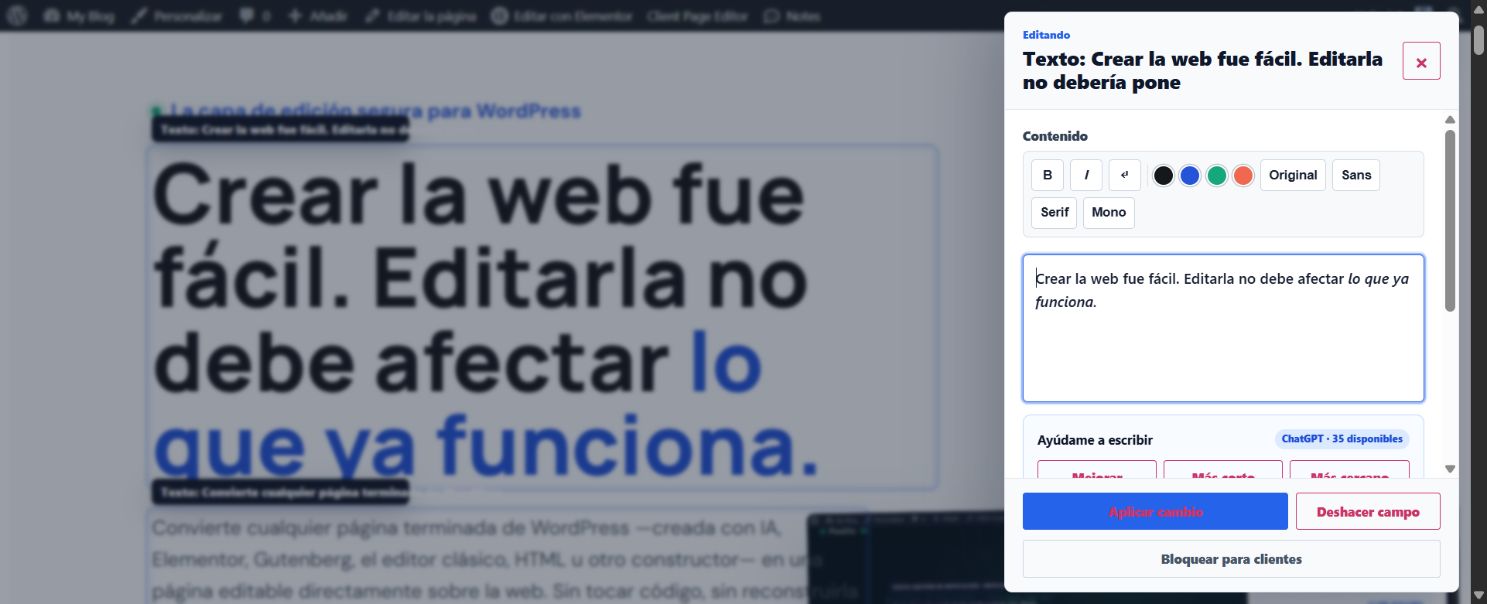
AI builds a page in minutes. Maintaining it is what costs you.
Building a landing page with ChatGPT, Claude, or a visual builder is fast. The problem shows up later: a client with full access can break the layout by changing a single word, and an agency juggling dozens of sites loses hours on tweaks that should take five minutes.
back-and-forth requests a year between your client, you, and the code — if you manage 20 pages with just 3 content changes a month each.
- Every change lands back on the developer, the builder, or the AI chat.
- You have to hunt down text, links, and images inside complex HTML.
- Full access exposes columns, styles, scripts, and forms.
- Small tasks pile up and eat into your margin.
- Content gets edited right where it appears, on the live page.
- AI helps fix, shorten, change the tone, or suggest alternatives.
- Your client only sees the zones you've chosen to allow.
- Review submissions can be approved, scheduled, or rolled back if something goes wrong.
Built for the WordPress content you already maintain.
Native integrations cover the most common fields. A compatible content layer handles rendered WordPress content without giving clients access to the builder or page structure.
AI-generated HTML
Find and edit text, links, images, iframes, video, and audio when the HTML is stored in WordPress.
Elementor
Native fields include text, headings, buttons, images, video, accordions, and more — without opening Elementor.
Gutenberg & Classic
Supports text, lists, code, quotes, images, buttons, video, audio, and embeds in native WordPress content.
Bricks
A dedicated Bricks integration reads its rendered page data while keeping layout controls out of the client editor.
Compatible builders
Content rendered through WordPress's standard content pipeline can use the generic adapter. Some proprietary builders may need a dedicated integration.
Interface languages
Per-user selector: WordPress Auto, Spanish, English, French, German, Italian, and Portuguese. It changes the plugin interface, not the website content.
Important: Client Page Editor intentionally never overwrites code stored directly in theme or plugin PHP files. Translation coverage can vary by locale while the language catalog continues to expand.
A page that's already done
Built with AI, blocks, HTML, or a visual builder.
Client Page Editor
Detects the content, applies permissions, and protects what shouldn't be touched.
A site that's easy to maintain
Direct editing, AI, review, and history — without exposing the design.
Real screenshots of the plugin, not a mockup.
This is what Client Page Editor looks like running inside WordPress: preparing the page, editing right on the site, and improving content with AI. Click through each step, or just let it play.
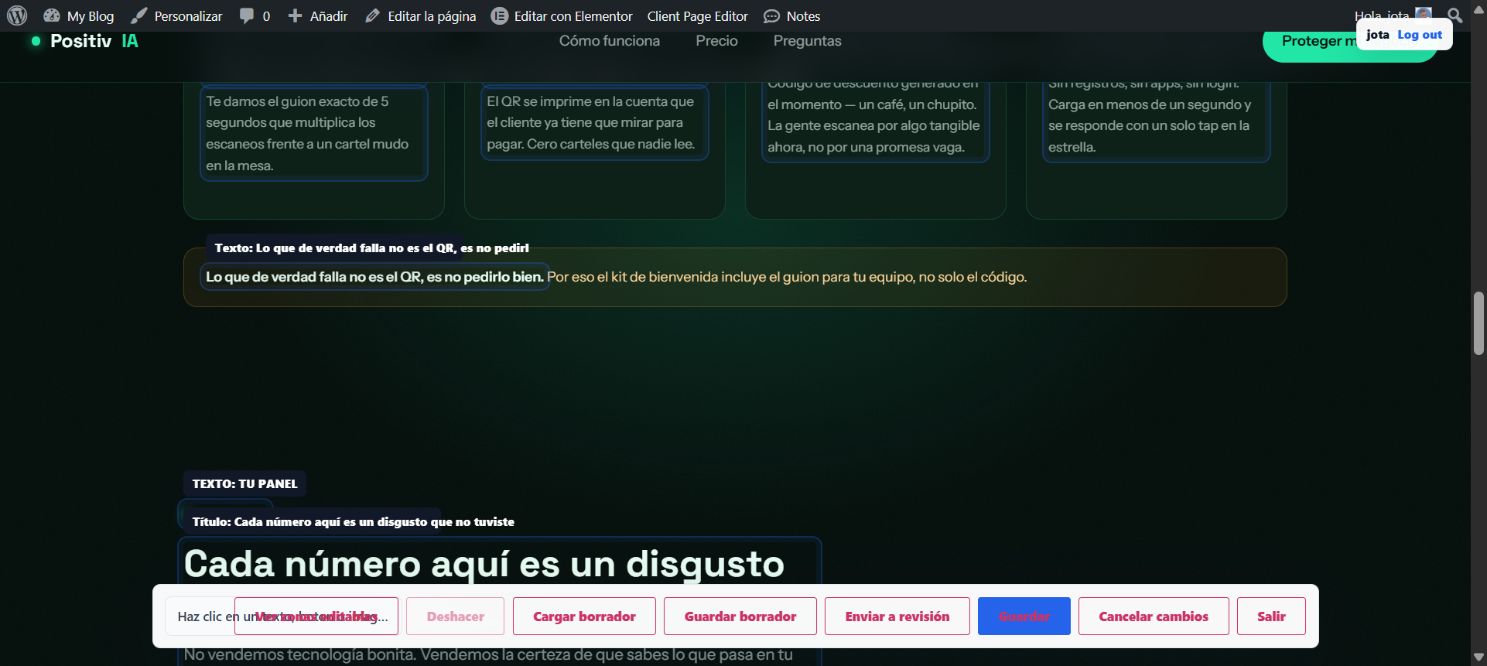


From a closed-off page to a manageable site, in four steps.
Choose and prepare
Pick which pages become editable.
Detect the content
Automatically finds text, images, buttons, and links.
Set the controls
Define permissions per role: mandatory review or direct publishing.
Edit and publish
Change it, improve it with AI, review it, and publish — without opening the builder.
Don't just change the text. Improve it right where it lives.
Select any authorized text and ask for a different version: clearer, shorter, a different tone, or your own custom instruction. Compare the result, apply it only if it beats the original, and keep working without leaving the page.
Your own API
OpenAI, Anthropic (Claude), or Gemini. Use your own key — no locked-in plugin credits.
Only the content you choose
Only the selected text, your instruction, and an optional brand-voice prompt are sent. The full page, images, and WordPress data stay out of the request.
Daily limit per user
Set how many AI requests each client can make per day.
Every client sees exactly what you decide to allow.
Structure, columns, forms, and scripts stay out of the editor's reach. You define everything else.
Per-user permissions
Allow text-only edits, add images, require review, or authorize direct publishing — per client.
Review, scheduling, and history
Approve changes, publish them later, or roll back to an earlier version whenever you need to.
Automatic backups
Every save creates a prior copy. Restoring the previous state is one click.
Creates
Elementor, Gutenberg, HTML, or AI handle the initial build.
Maintains
Opens only the content that needs to change, on the finished site.
Stay in control
Decide who edits, what they can touch, and when it goes live.
One plugin. Three different pain points solved.
Code that's hard to update, clients who depend on you for everything, and businesses that need to move fast.
Your HTML stops being a black box.
Make visual changes and improve content with AI without regenerating the whole page.
Hand over the day-to-day, not the design.
Your client handles routine updates. You stop giving away hours for free and keep professional control.
Your site moves at the speed of your business.
Update hours, prices, services, and campaigns without waiting on a developer for every tweak.
Your client remembers your service — not the name of some other tool.
Customize the editor with your name, logo, color, and support channel. Turn secure editing into a visible part of your offer — and a natural foundation for recurring maintenance plans.
Evaluate the complete editing workflow before launch.
The current build includes permissions, review and history, scheduled review items, backups, a content catalog, agency mode, white-label controls, and AI with your own key.
Single project
- Elementor, Gutenberg, Bricks, Classic, and HTML adapters
- Role- and user-based permissions
- Content catalog
- Email support
Small portfolio
- Full secure editing workflow
- Review, scheduling, and history
- AI with your own API
- Email support
Client portfolio
- Multi-site agency workflow
- Agency mode: client-assignment assistant
- Multi-client use
- Email support
Custom deployment
- Custom rollout requirements
- White-label — your logo, your name
- No visible mention of Client Page Editor
- Priority support
Frequently asked questions
What you need to know before you install it.
Make it easy to maintain, too.
You or your client update the content. AI helps make it better. The design stays protected.